Free public course · 25/40
Chapter 25: Test Grids and Anti-Regression Contracts
Lesson objectives
Required artifact: anti-regression test checklist
O1 · Can distinguish the risk or responsibility covered by critical-behavior tests, failure branches and continuous integration (artifact: anti-regression test checklist)
Evidence: The anti-regression test checklist separately defines the coverage of critical-behavior tests, failure branches and continuous integration
O2 · Can construct a anti-regression test checklist with a check method and evidence for each stratum (artifact: anti-regression test checklist)
Evidence: Every stratum in the anti-regression test checklist states a check method, owner and passing evidence
O3 · Can build anti-regression evidence from critical behavior, failure branches and continuous integration (artifact: anti-regression test checklist)
Evidence: The artifact lists critical behavior and failure branches with observed automated-run results
Before this lesson: Chapter 24: Quality Governance: Red Lines, Gates, and Audits
Novice path
Chapter transfer task: Can build anti-regression evidence from critical behavior, failure branches and continuous integration. Use the diagram's strata relationship to complete the first evidence item in the anti-regression test checklist, then check each owner and decision rule.
Experienced path
Apply this task to a current project before reading the explanation: Can build anti-regression evidence from critical behavior, failure branches and continuous integration. Submit the anti-regression test checklist, then check the relationship type, missing evidence and authority boundary.
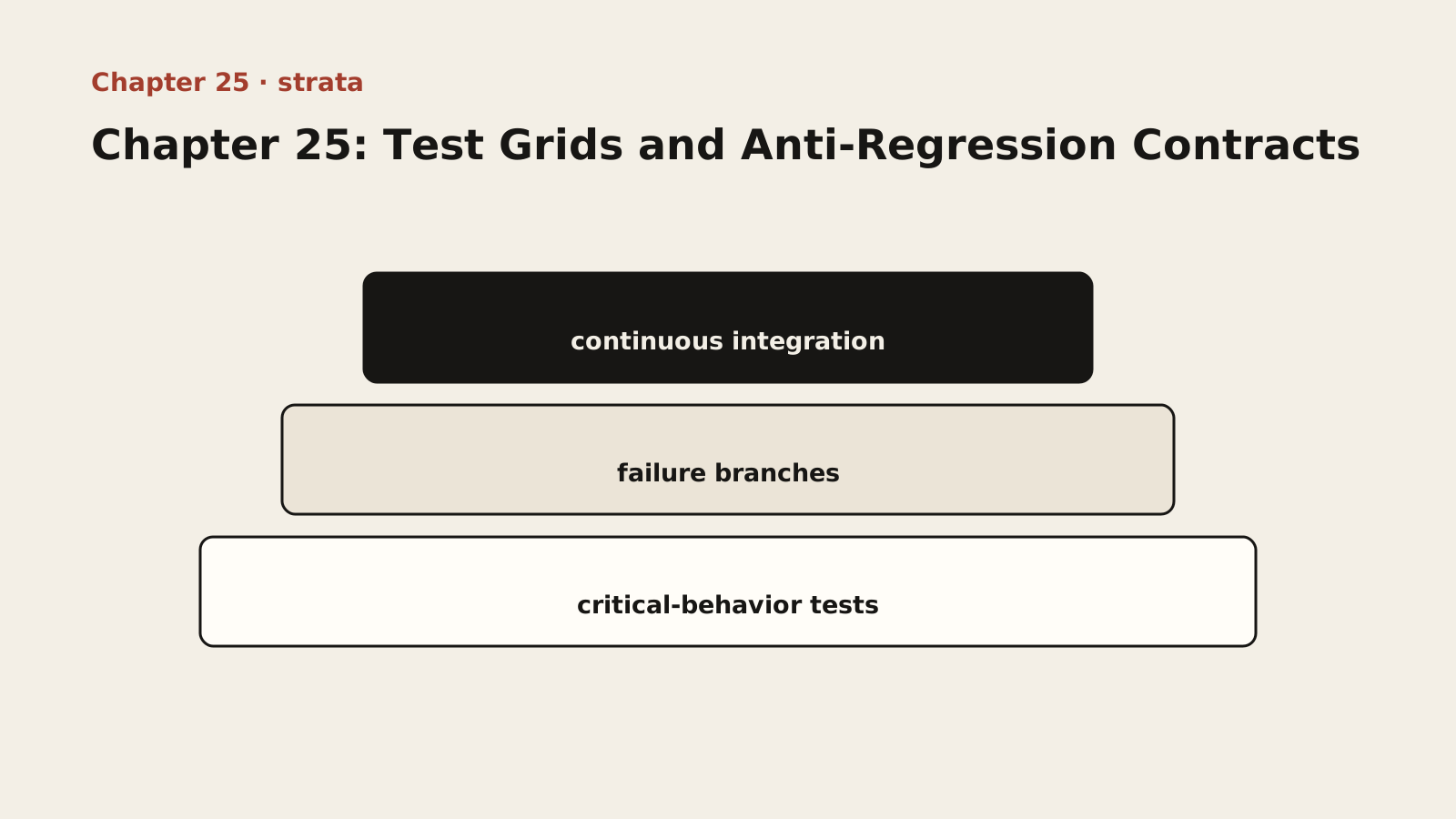
Diagram text description
The anti-regression test checklist is drawn as three stacked strata for critical-behavior tests, failure branches and continuous integration. The stack separates coverage areas and shows a joint defence, not execution order or maturity. Every stratum requires its own check method and evidence.
Relationship semantics: The three strata organise distinct coverage and form a joint defence; they are not sequential steps, and each gap requires its own repair.
Adapted public course. Concepts, procedures and examples are adapted from the internal textbook. Case sizes, timings, improvement figures and target thresholds are illustrative, not site delivery results or universal standards. Verify tools, platforms and skills in your environment. Prompts do not grant permissions and retry counts do not authorize recovery. Preserve work and verify targets, sharing and external-state effects first.
Lesson explanation
25.1 When AI Refactors Code, How to Avoid Breaking Existing Functionality (Write Tests First, Then Let AI Refactor)
One of AI’s most stunning — and most frightening — abilities is its capacity for large-scale code refactoring. You can throw it a chaotic 500-line “monster” function and say: “Please refactor this function into smaller, more cohesive functions and classes that conform to the SOLID principles.” Seconds later, it presents you with a well-organized, brand-new piece of code.
It looks like magic, but it could also be “black magic.” How can you be certain that this new code, so transformed as to be unrecognizable, is 100% behaviorally equivalent to the old code? How do you know that, in the midst of operations like “extract method” and “move field,” some tiny but critical piece of business logic was not “optimized away” by AI?
The answer is: without automated tests, you cannot know. You can only pray. “Visual review” is almost entirely useless in this scenario — the human brain is extremely bad at making fine-grained “behavioral equivalence” comparisons between two complex yet logically similar code structures; we are easily fooled by the tidy “surface” of the new code and overlook the subtle internal logic changes.
This is precisely the new role automated testing plays in the AI era: it is the “license” that authorizes AI to carry out large-scale refactoring.
A “golden coverage” test suite — the license for AI refactoring: before issuing any “refactor” or “optimize” instruction to AI, you must first complete a prerequisite step: write a high-coverage unit test suite for the target code that is about to be refactored. This test suite is like a “behavioral snapshot” taken of the old code before the refactoring, pinning down all of the old code’s known and important behavioral characteristics in exact code form.
[A Concrete Refactoring Workflow]
Scenario: we have an aging function, calculateDiscount, responsible for computing order discounts, full of nested if-else statements and hard to maintain.
- The wrong workflow (prayer-style refactoring): copy the function code to AI → say “Please refactor this function to make it clearer” → AI returns an elegant new version built on the “strategy pattern” → you “eyeball” it, think it looks great, and replace the old code → a week later, the finance report shows that every “diamond member” who bought “digital products” during the “anniversary sale” had their order discount calculated incorrectly.
- The right workflow (grid-style refactoring):
- Lay the grid: before starting the refactoring, write comprehensive tests for the existing function. The tests cover every known business rule and edge case: regular members get no discount, gold members get 5% off, diamond members get 10% off, all products get an additional 10% off during the anniversary sale, digital products do not participate in the anniversary extra discount, and diamond members who buy non-digital products during the anniversary sale enjoy a discount on top of a discount… Run the tests and make sure they all pass.
- Authorize AI to refactor: “Here are our discount calculation function and its unit test suite. All tests currently pass. Please refactor the function, with this requirement: after the refactoring, all tests must still pass.”
- AI works inside the “grid”: AI receives the instruction and begins its “magic refactoring,” with the test suite constraining the boundaries of its behavior at all times.
- Automated acceptance: after AI returns the new code, you do not need to compare it manually — just run the test suite directly.
- Decision point: all existing tests pass means only that the candidate satisfies those encoded behaviors; it does not prove complete behavioral equivalence. A failed case means the implementation or test assumption needs investigation, followed by a complete rerun of the critical cases.
In AI-assisted development, tests serve as both specification records and regression evidence. Encoding known behavior before asking AI to refactor reduces the risk of unnoticed change, but it cannot cover omitted rules, real dependencies or production-environment differences.
25.2 Critical Behaviors, Failure Branches and CI Gates
A suite that checks only happy paths creates false confidence. Define required critical behaviors, red lines and failure branches from component risk first, then choose measurements that help expose omissions.
Code coverage reports which lines, branches or functions tests execute. It does not prove that assertions are correct or requirements complete. Branch coverage can reveal unexecuted decision paths; adequacy still depends on risk, assertion quality and business rules that have not been encoded.
This lesson uses non-compensable behavior gates:
- Every confirmed discount rule has at least one named case.
- Failure branches such as invalid membership, missing prices and negative amounts have explicit error semantics.
- Every financial red-line case passes; any failure blocks merging.
- Candidate and recorded baseline versions are compared on the same inputs, and every difference is explained.
- If a project declares a coverage target, record its tool, scope, rationale and observed result; a textbook number is not a universal standard.
These gates apply equally to humans and AI and cannot be offset by another metric. They:
- Turn “what must not break” into observable cases rather than a vague request.
- Connect each failure to a business behavior and owner.
- Allow AI to run tests and suggest missing cases while requiring review of changed tests, preventing false greens created by weakened assertions.
When asking AI to propose tests, provide the behavior inventory and evidence boundary first:
Your prompt: Context: The release gate contains named critical behaviors, failure branches, and financial red-line cases. Coverage is diagnostic, not proof of correctness. Your Role: Act as a meticulous QA Auditor with expertise in unit testing. Code to be Tested: [paste the business logic code] Task:
- Analyze the Code: Identify all logical paths and branches.
- Generate Test Cases: Write a comprehensive suite of unit tests.
- Preserve the Gate: Do not delete, skip, or weaken existing assertions. Add the named failure and red-line cases.
- Explain Evidence: For each test, name the behavior or risk it checks and any remaining untested scope.
CI now checks concrete behaviors instead of substituting one percentage for judgment. A coverage report can remain an audit attachment that exposes unexecuted code; it does not replace red-line cases, failure branches, integration tests or human review.
[Configuration Template] Building the Test Fence (using Jest + GitHub Actions as an example):
Example type: reference. Reference fragment; it is not guaranteed to run alone. Adapt it to the lesson context, project versions and real interfaces, then validate with observed output.
// jest.config.js
module.exports = {
  collectCoverage: true,
  collectCoverageFrom: [
    'src/**/*.{js,jsx,ts,tsx}',
    '!src/**/*.d.ts',
    '!src/index.ts',
  ],
  coverageDirectory: 'coverage',
  // Use the report to expose unexecuted branches. A project-specific threshold
  // must state the tool version, scope, observed result, and risk rationale.
  testMatch: ['**/*.critical.test.js', '**/*.failure.test.js'],
};
25.3 The Lethal Instruction: “Run and Fix All Failing Tests” (Prerequisites and Risks)
We have laid the grid and defined behavior gates. With authority and stop conditions made explicit, AI can now run tests, analyze failures and propose repairs.
The power of this instruction is that it automates the “debugging loop” that previously required human “manual” intervention:
- The traditional debugging loop (human-driven): AI generates code → a human runs the tests → a test fails → the human reads the failure log → the human analyzes the cause → the human tells AI where it went wrong → back to step one. The efficiency bottleneck lies entirely in the human’s ability to analyze and relay information.
- AI’s self-consistent loop (test-driven): AI receives the task → AI modifies the code → AI runs the tests itself → a test fails → AI reads the failure log itself (error message, failing assertion, stack trace) → AI analyzes the “causal relationship between the failure log and the code it just modified” itself → AI proposes a fix and generates new code itself → back to the previous step, until all tests pass.
In this new loop, the failing test log becomes AI’s “teacher” and “yardstick,” and humans shift from “micro-managers” to “test designers and final auditors.”
[Instruction Template 25.1: Test-Driven Bug Fixing]
Context: We have a bug in our system. I have already written a failing test that reproduces the bug. Your Role: Act as a Senior Software Engineer practicing Test-Driven Debugging. Failing Test Code: [paste the currently failing test case] Relevant Business Logic Code: [paste the relevant business logic code] Your Task (Iterative Process):
- Analyze the Failure: Read the failing test and understand what expected behavior is violated.
- Propose a Fix: Suggest a minimal change to the business logic.
- Apply and Verify: I will apply your proposed fix and re-run the test.
- Repeat: If tests are still failing, analyze the new result and iterate.
[Instruction Template 25.2: Test-Driven Feature Development]
Context: I want to add a new feature: “[describe the new feature]”. Your Role: Act as a Senior Software Engineer practicing TDD. New, Failing (“Pending”) Tests: [paste the failing tests written for the new feature that describe its specification] File to Modify: [provide the file path and existing code] Your Task: Write the implementation code inside [file] so that all pending tests pass.
Prerequisites and risks:
- Prerequisite: high-quality tests. The success or failure of this pattern depends entirely on the quality of your test suite — if the tests themselves are poorly written (incomplete coverage, vague assertions, only happy paths), AI may “fix” the implementation so that the tests pass while actual problems remain. The strength of the test grid determines the reliability of AI’s self-consistent loop.
- Risk: falling into a “local optimum.” AI may find a “shortcut” that sneaks the tests into passing — for example, hardcoding the expected test values instead of actually fixing the logic. Humans must therefore spot-check the quality of the fix and beware of “false greens.”
- Your role: design critical-behavior and red-line gates, audit whether the repair addresses the root cause, and verify that AI did not delete, skip or weaken tests.
Despite these risks, the “test-driven AI” pattern remains the most powerful method we currently have for harnessing AI’s refactoring and fixing abilities. It transforms “a human staring at every line of AI’s output” into “a human designing an impassable grid for AI, letting AI play freely within the grid.”
25.4 Periodic “Garbage Collection”: Cleaning Up Dead Code, Redundant Logic, and Stale Comments
Why is there so much “dead code” in AI-written code? Because AI has no “memory” — the new logic it adds in one module may have already stripped the callers away from old logic in another module; it refactors a function but forgets to delete the old version it replaced. Add to that AI’s tendency to “append code” rather than “refactor code,” and redundancy keeps piling up.
The types of garbage AI produces: dead code (functions that are never called, variables that are never used, unreachable branches), redundant logic (duplicated implementations, ineffective fallbacks, superfluous defensive checks), and stale comments (comments describing old behavior, TODO-marked items that no one ever resolves).
Build a mechanism for periodic scanning and cleanup:
- Have AI do “garbage scanning”: periodically ask AI to review the codebase and list all dead code and redundant logic — AI is an efficient tool for scanning “bad smells” (“Please review the src/ directory and list all exported functions that are never called, variables that are never used, and duplicated implementations.”);
- Clean up along the way during iterations: after each feature is completed, check whether it turned other code into garbage;
- Institutionalize “garbage collection”: set aside dedicated time in every iteration cycle to pay down technical debt.
Let the system achieve “reverse growth” through iteration after iteration — the ideal evolution is: as scale grows, complexity stays flat or even declines. Garbage collection is the means to achieve “reverse growth.”
[Cleanup Checklist] The 10 Redundancy Points to Check Before Every Iteration
At the end of each iteration, use this checklist to scan quickly and check off each item.
| # | Check Item | Typical Manifestation |
|---|---|---|
| 1 | Dead function / dead method | An exported function or class method that nothing calls |
| 2 | Unused variable / constant | Declared but never referenced, or only assigned at the declaration |
| 3 | Unreachable branch | An if-else / switch-case whose condition is always false |
| 4 | Duplicated implementation | The same logic appears in 2+ places without being extracted into a shared module |
| 5 | Ineffective fallback | An exception silently swallowed in a catch block (empty catch / log-only, no handling) |
| 6 | Superfluous defensive check | A redundant null/undefined check on a parameter already constrained by a type |
| 7 | Stale comment | A comment describing old behavior, or a TODO/FIXME item no one follows up on |
| 8 | Orphan dependency | A package installed in package.json but no longer used at any import site |
| 9 | Deprecated config / environment variable | An env variable no longer used, or old webpack/vite config entries |
| 10 | Empty / placeholder file | A file containing only comments or empty exports, never actually used |
Operational advice: use the “garbage collection phrasing” in Appendix F.7 to scan in bulk — paste the code of an entire directory or module to AI and have it list, item by item, which of the 10 categories of redundancy apply, along with handling suggestions.
25.5 Anti-Regression Contracts: Locking the Baseline with Commit Hashes, Planting Anti-Regression Instructions in Prompts
The core proposition of the “anti-regression contract” is: make sure every change is a step forward, not a step backward. Three concrete means:
Means one: lock down the verified baseline (the commit-hash locking strategy).
When the system passes an important acceptance milestone (for example, all integration tests green, performance targets met, user acceptance passed), fix that state with a git commit and record the commit hash. In subsequent iterations, this hash is the “baseline against regression”:
- Any refactoring or optimization must compare declared critical behaviors, red lines, failure branches and performance targets item by item. If coverage is tracked, record its scope and observed difference as well;
- If a change drives key metrics below the baseline, inspect candidate changes with git diff and use tests to locate the cause. Protect work and verify the full baseline hash, then choose a recovery path in Section 10.4: use revert for shared commits; consider reset only on a personal unshared branch. A stash is not an undo and excludes ignored files by default; Git does not restore databases or external state. Revalidate the baseline after recovery.
Means two: embed anti-regression instructions in the prompt so AI reviews itself.
When issuing AI an instruction to “modify existing code,” embed anti-regression clauses:
[Anti-Regression Constraint] This change must satisfy the following:
- Must not delete or weaken any existing functionality (maintain behavioral compatibility);
- Must not delete, skip or weaken existing critical-behavior, failure-branch or red-line cases; compare coverage only when the project has declared its tool, scope and target;
- Must not introduce new global state or implicit dependencies;
- After the change is complete, run the full test suite first to confirm everything is green, then report the result;
- If the change touches a locked-in core module, stop and confirm with me first.
These clauses use the power of “constraints” to turn “preventing regression” into a hard rule of behavior for AI — it is no longer “I broke something, please find it for me,” but “you must prove that you did not break anything.”
Means three: how to correct course quickly through a feedback loop when AI accidentally crosses a boundary.
When AI’s change crosses a defined boundary (for example, it touches a core module it should not have, or expands a file’s responsibility), use the feedback loop immediately: clearly point out which boundary it broke (citing the specific constraint clause) → require it to return within the boundary (with a git rollback if necessary) → record the violation in the “lessons” section of AGENTS.md so future sessions do not repeat it. Every boundary-crossing correction is a reinforcement of the contract.
[Prompt Snippet] Anti-Regression Clauses Ready to Use (the full version is in Appendix F):
Example type: reference. Reference fragment; it is not guaranteed to run alone. Adapt it to the lesson context, project versions and real interfaces, then validate with observed output.
[Anti-regression directive]
Before making changes, read and understand these constraints:
- Baseline commit hash: [fill in]
- All existing tests must pass (do not skip or delete any tests).
- Do not modify core modules ([list them]) unless I explicitly request it.
- After making changes, review your work: list the changed files and explain
  how each change affects existing behavior.
- If you cannot meet any of these conditions, stop modifying and explain why.
Pause and organise: complete the minimum loop
First write one relationship between critical-behavior tests and failure branches, then place it in the anti-regression test checklist. Confirm that this step has an input, decision and evidence before adding continuous integration; do not start the independent exercise until the three are connected.
Independent exercise
Use fictional or authorized deidentified material. Answer independently before revealing the reference. Save chapter-25.md with versions, decisions, evidence and gaps.
Record normal, unknown, empty and sensitive-input contracts, then refactor internals. Explain why deleting failing tests is not a valid fix.
Required chapter artifact: anti-regression test checklist
The submission for this independent exercise must contain the evidence below. The existing prompts supply content but do not replace these acceptance items.
- O1: The anti-regression test checklist separately defines the coverage of critical-behavior tests, failure branches and continuous integration
- O2: Every stratum in the anti-regression test checklist states a check method, owner and passing evidence
- O3: The artifact lists critical behavior and failure branches with observed automated-run results
Reveal reference feedback (answer first)
Reference feedback
Fix input, output and error contracts and run a baseline before the candidate. Determine whether failure is a defect or an approved requirement change and record evidence. Coverage measures execution, not correctness; thresholds depend on risk, not a universal textbook percentage.
Self-review and next steps
Check whether your decision is explicit, evidence reproducible and unknowns honestly recorded. The reference illustrates one defensible approach, not a unique answer. Seek peer review for alternatives with equivalent evidence. Mark unsupported parts unfinished and revisit the corresponding step.
Sources and boundaries
Registered sources support only the external claims used here. The anti-regression test checklist, example numbers and exercise scenario are internal instructional design and require project-specific validation.
- GitHub Actions documentation
GitHub · 2026-09-17 · Repository workflows can automate build, test and continuous-integration tasks.
Record lesson practice
Only a browser self-check is saved. No work is uploaded, reviewed or certified. Keep evidence and gaps in your own chapter file.